
→ Applies to: SynetoOS 5.x
Symptom
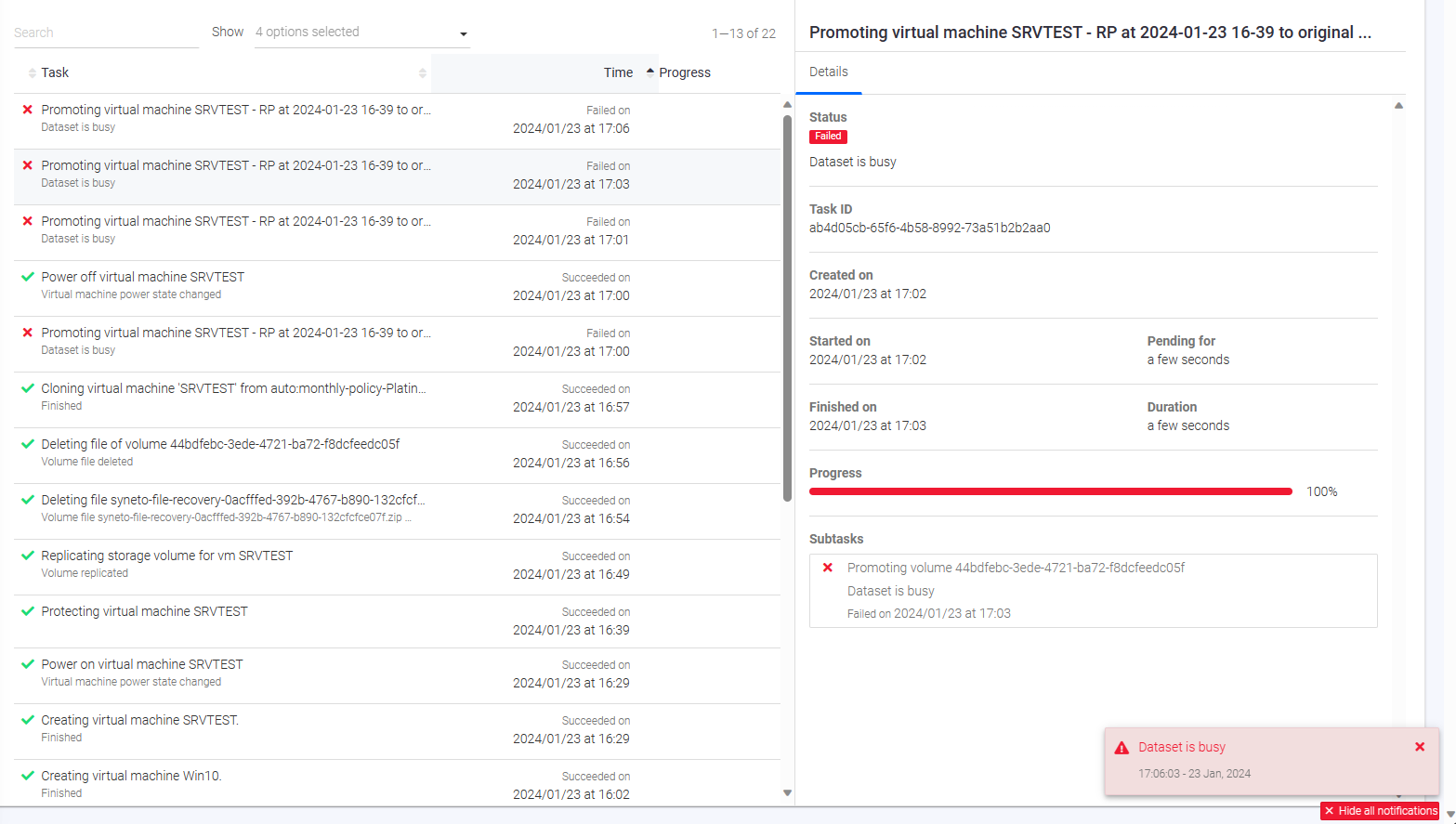
When attempting to perform the "Convert to Original" operation, an error may occur with the message "Dataset is busy" because a system process is still using the virtual disk.
Solution
Step 1. Connect to SynetoOS appliance via SSH as admin
ssh admin@<your_ip_address_or_hostname>
Step 2. Become Super User
sudo su
Step 3. Identify the loop device
losetup -aEXAMPLE OUTPUT
/dev/loop0: [2097407]:4 (/flash/syn-volumes/3758361c-d1ae-4ce3-9197-581c9ebf9981/.zfs/snapshot/auto:monthly-policy-Platinum-2024-01-23-15:39:02/SRVTEST/SRVTEST-flat.vmdk)
IMPORTANT
Save the identified loop device, in this case: /dev/loop0
Step 4. Identify the mount point
mount | grep loop0EXAMPLE OUTPUT
/dev/mapper/loop0p3 on /mnt/virtual-disk-browser/files/37d6ff0b-ee57-4f3e-9725-0d649febbd7c type fuseblk (ro,relatime,user_id=0,group_id=0,allow_other,blksize=4096)
IMPORTANT
Save the identified mount point, in this case: /mnt/virtual-disk-browser/files/37d6ff0b-ee57-4f3e-9725-0d649febbd7c
Step 5. Unmount the mount point (replace <mount_point_path> with the mount point from Step 4)
umount <mount_point_path>EXAMPLE
umount /mnt/virtual-disk-browser/files/37d6ff0b-ee57-4f3e-9725-0d649febbd7c
Step 6. Delete the partition device mappings for the loop device (replace <loop_device> with the loop device from Step 3)
kpartx -d <loop_device>EXAMPLE
kpartx -d /dev/loop0
Step 7. Detach the loop device from the physical file (replace <loop_device> with the loop device from Step 3)
losetup -d <loop_device>EXAMPLE
losetup -d /dev/loop0